- Aug 25, 2025
Instagram Reposts: A New Way to Share What You Love
- Brittany Hardy
- Tips and Tricks
Looking for Podia website design or marketing support?
CLICK HERE to see my next available free ☕️ chat
Instagram Reposts: A New Way to Share What You Love
Instagram just made it easier to share the content you love with your friends and followers. With the new Reposts feature, you can reshare reels and feed posts directly to your profile - without the need for third-party apps or messy workarounds. But is this another feature no one asked for?
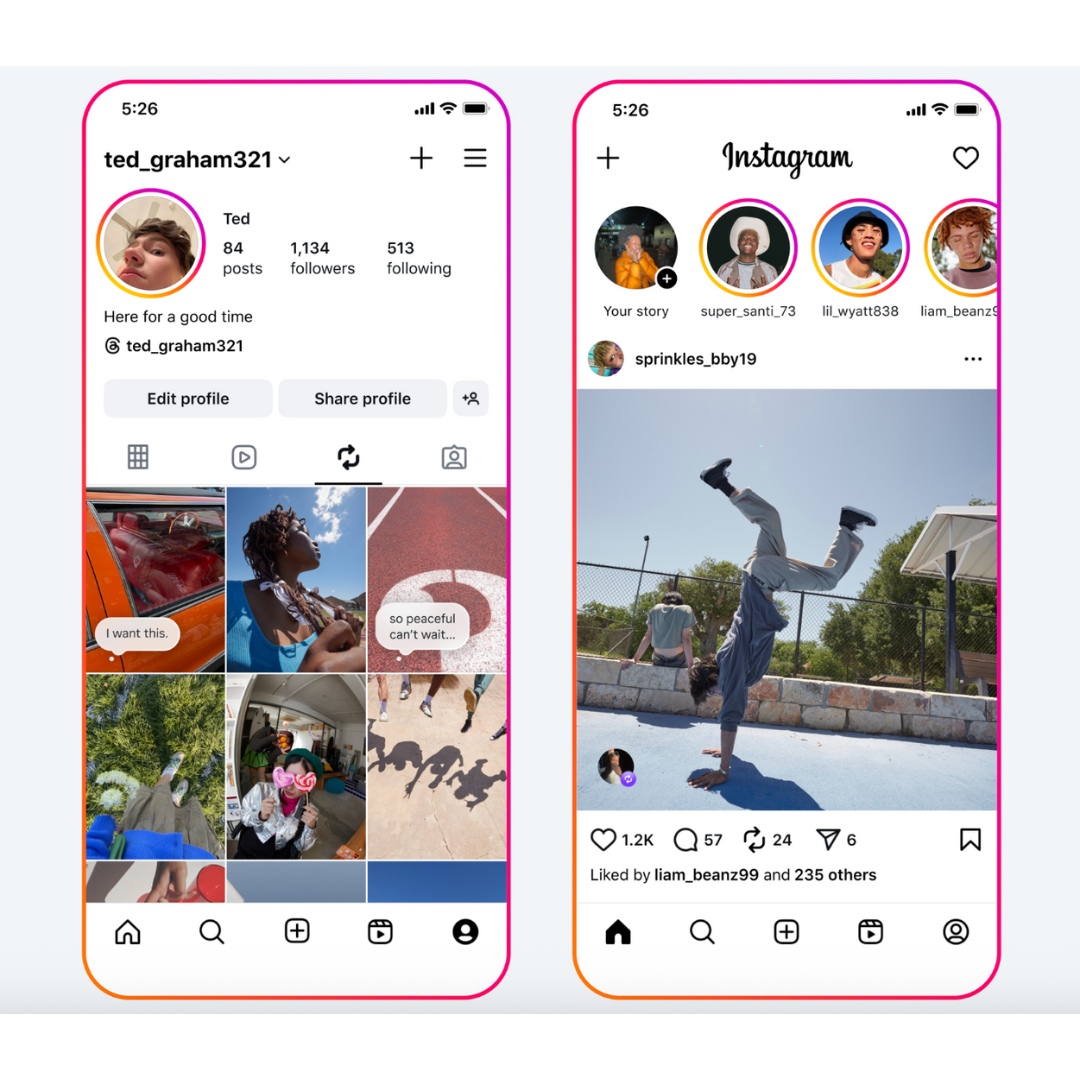
How Reposts Work
When you repost a public reel or feed post, it gets recommended to your friends’ and followers’ feeds. Plus, every repost you make will live in its own tab on your profile, so you (and others) can revisit them anytime.
Reposts are always credited to the original creator, giving them exposure to new audiences. If you’re a creator, that means when someone reposts your content, it could show up in front of people who don’t follow you yet - opening the door to new reach and engagement.
How to Repost a Reel or Post
Reposting is simple:
Tap the repost icon on the reel or post.
Add a note in the thought bubble if you’d like to share your own perspective.
Hit save, and you’re done.
Your repost will appear in your followers’ feeds and in your dedicated Reposts tab.
Discover What Your Friends Are Into
Alongside reposts, Instagram is rolling out a new Friends tab in Reels. This is where you can see public reels that your friends have liked, commented on, or shared - plus recommendations from any Blends you’ve started together.
It’s designed to make Instagram more social by letting you see what your friends are enjoying and sparking conversations around that content.
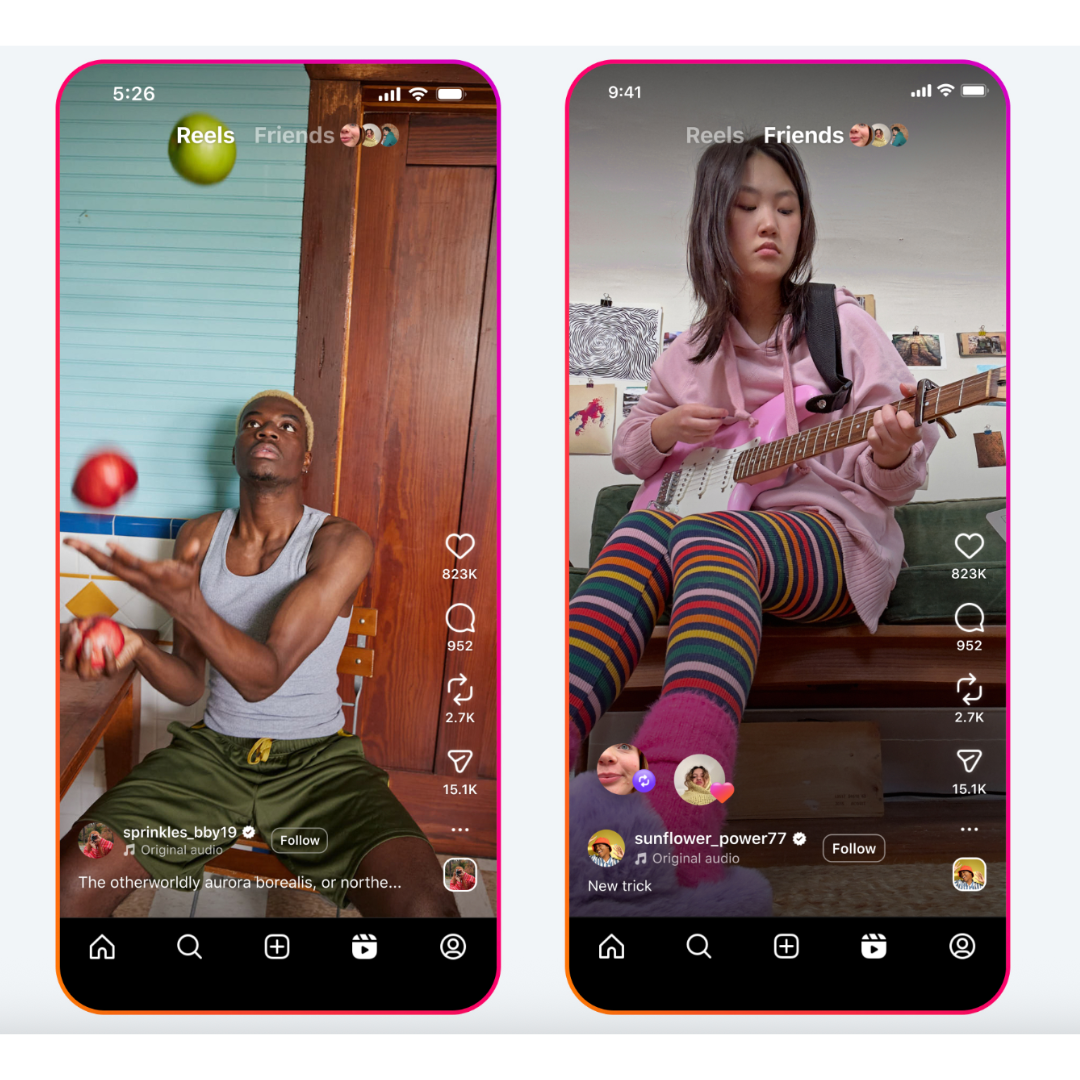
To find it:
Tap the Friends tab at the top of Reels to see what your friends are engaging with.
Switch back to the regular Reels feed anytime by tapping the Reels tab.
Instagram is also giving you more control here - you can hide your own likes and comments from the Friends tab, or mute activity from certain people if you want a cleaner feed.
What do you think? Is this another feature no one asked for; or will people actually use this one? I personally can't see myself using it - but as someone who makes content I think the repost function will help content share content to a wider audience!
Need help with your Podia site or Socials? Drop your questions in the comments or reach out - I’d love to help! 🚀
Book your free coffee chat at https://www.emptydesksolutions.ca/workwithme
My Podia Pro design services and packages: https://www.emptydesksolutions.ca/podia